
Broadcast Radio Software playout Radio broadcasting
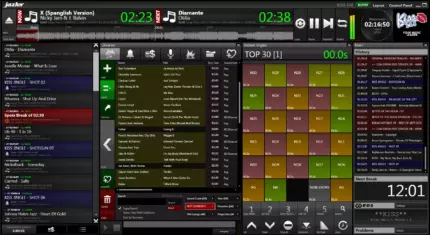
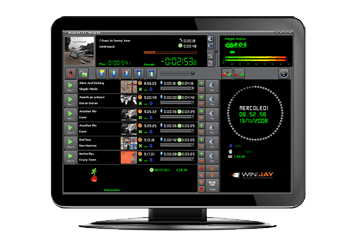
FlO Radio is the innovative radio broadcasting software that integrates all functions for playout into a single program.
FlO Radio is characterized by a high degree of flexibility that allows extreme ease of use.
Works with the schedule created by Philo Media Manager through the manual playlist, or by manual entry made directly from the control station.
The operator always has all the elements and instruments created and sets in Philo to attend quickly and accurately on the broadcast.
You can reload a schedule, load another playlist, check live events, activate external devices, intervene through the trim feature on markings of each clip.
FlO Radio stores at different level of logging, so you can use it to control the transmission and generation of reports required by law.
Broadcast Radio Software playout Radio broadcasting
FlO Radio is the innovative radio broadcasting software that integrates all functions for playout into a single program.
FlO Radio is characterized by a high degree of flexibility that allows extreme ease of use.
Works with the schedule created by Philo Media Manager through the manual playlist, or by manual entry made directly from the control station.
The operator always has all the elements and instruments created and sets in Philo to attend quickly and accurately on the broadcast.
You can reload a schedule, load another playlist, check live events, activate external devices, intervene through the trim feature on markings of each clip.
FlO Radio stores at different level of logging, so you can use it to control the transmission and generation of reports required by law.
- Full drag and drop interface
- Editor
- Instant player
- Live recording
- Cart machine up to 4 live assistant player
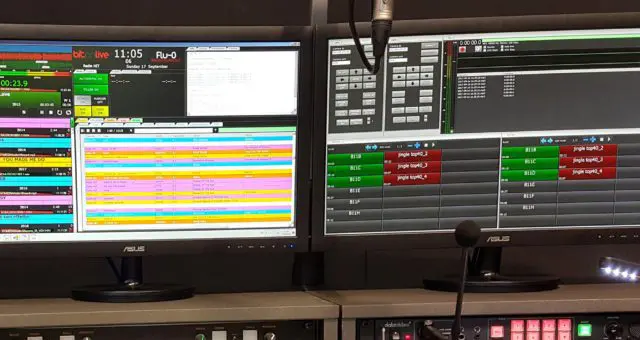
- Display on 2 monitors
- External devices management
Features
- Automatic and live assist mode
- Full control of mix and fade between audio tracks
- Instant player/Jingles machine with programmable keys and endless layout
- Full view of any playlist information
- Full drag and drop interface management
- Display and interaction with schedules
- Prelisten of each track and modification of all mixing points with Graphical Editor (editor)
- Automatic generation of playlists ONAIR according to the parameters of programming
- OnAir audio track waveform display
- Time signal automatic control
- Automated management of news, programs, horoscopes and weather
- External devices management via TCP/IP, GPIO, LIVE WIRE
- Powerful management of live and programmed voice tracks
- Cart machine up to 4 live assistant player
- Live recording
- Display on 2 monitors
- Reading of the playlist from external scheduler
- Automatically switch to backup device in case of network or server failure